Turn school WhatsApp chats into clear parent summaries.
Upload a WhatsApp chat export or paste messages. Sababa-chat summarizes meetings, deadlines, payments, homework, and what to bring — without connecting to your WhatsApp account.
Sababa-chat is an independent tool and is not affiliated with WhatsApp or Meta.
School chats move fast. Parents miss things.
Hundreds of unread messages
You open the group and the day is already gone.
Important details buried in small talk
One deadline hidden between fifty thank-you stickers.
Multiple kids, multiple chats
Too many groups, too much scrolling, every single evening.
Sababa-chat gives you the short version.
How it works
Export or copy your chat
Export your school chat without media when possible, upload a .zip or .txt file, or paste the relevant messages.
Choose language and period
Summarize today, this week, or a selected period. Choose the language you want the summary in.
Get a clear summary
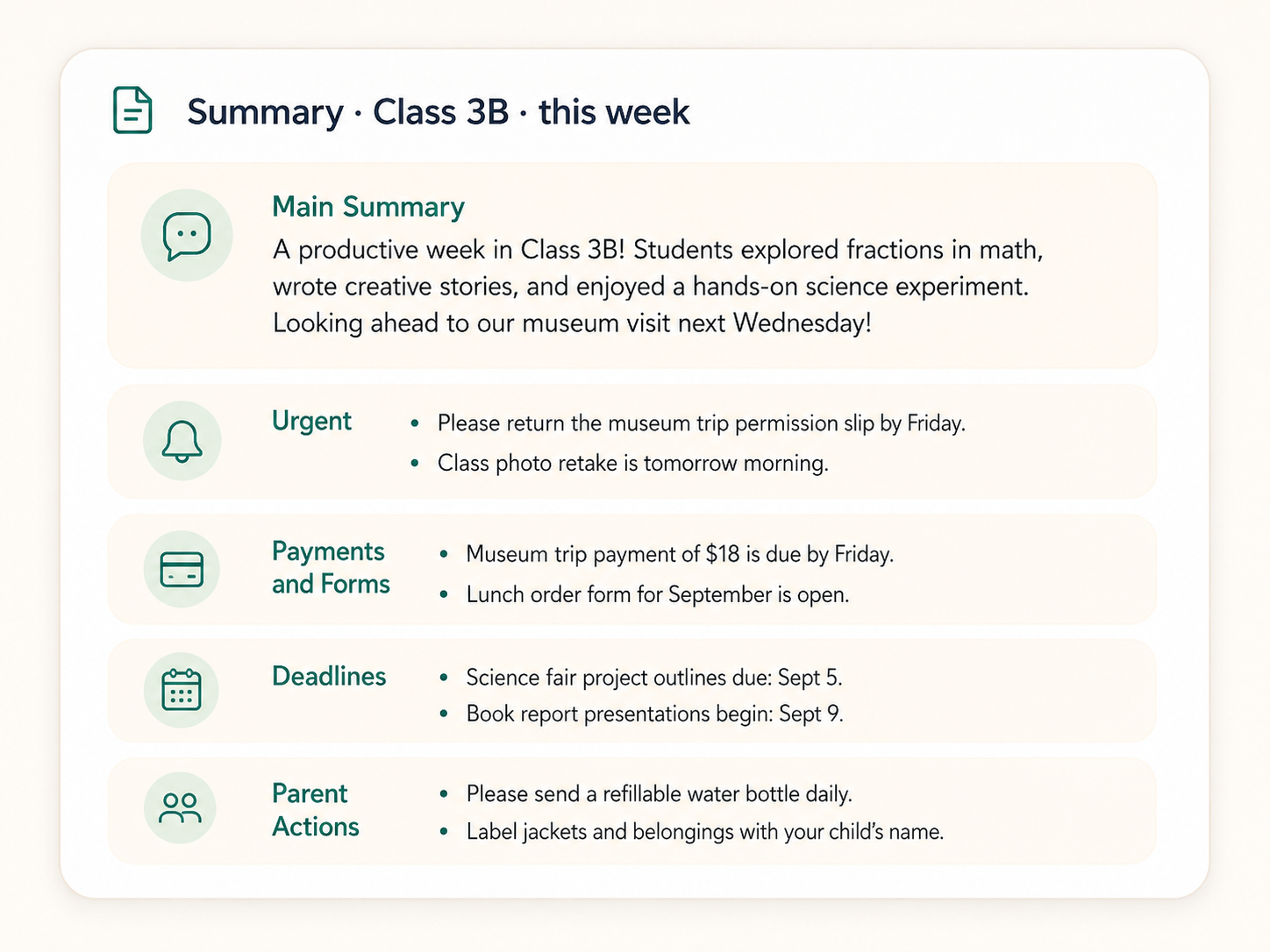
Sababa-chat highlights what matters and organizes it into simple bullet points.
What can Sababa-chat summarize?
Sababa-chat is designed for busy parents who need a quick summary of long school chats, class groups, kindergarten groups, and parent WhatsApp conversations. It can help identify school announcements, meetings, deadlines, payment requests, homework, forms, things to bring, schedule changes, and decisions buried inside long message threads.
Built for school chats and parent privacy.
Read Privacy Policy- No direct connection to your WhatsApp account
- You choose what to upload
- Media files are ignored
- Original chat files are not stored by default
- Saved summaries are stored only when you choose to save them
- Chat exports may include personal information about children, parents, teachers, and school staff — upload only content you are allowed to process
Frequently asked questions
Can I summarize a WhatsApp chat export?
Yes. You can upload a .txt or .zip chat export, or paste messages manually. Sababa-chat reads the chat text and creates a short summary.
Is Sababa-chat a WhatsApp chat summarizer?
Sababa-chat can summarize exported WhatsApp chats, but it does not connect to your WhatsApp account and is not affiliated with WhatsApp or Meta.
Can I use it for school and kindergarten parent groups?
Yes. Sababa-chat is designed for school, kindergarten, class, and parent group chats where important details are often buried in many messages.
Does Sababa-chat connect to my WhatsApp account?
No. Sababa-chat does not connect to your WhatsApp account or read your chats automatically. You manually upload or paste the chat content you want summarized.
Can Sababa-chat see my WhatsApp chat list?
No. Sababa-chat cannot access your WhatsApp chat list, contacts, groups, or message history.
What file types can I upload?
You can upload .txt or .zip chat exports. If you upload a .zip export, media files are ignored and only the chat text is processed.
Is this affiliated with WhatsApp?
No. Sababa-chat is an independent tool and is not affiliated with WhatsApp or Meta.
What languages does it support?
You can upload chats in different languages and choose the language for the summary.
Are original chat files stored?
Original uploaded files and extracted chat files are not stored by default. Saved summaries are stored only when the user chooses to save them.